
AI catalog import for Shopify
Turn supplier catalogs into Shopify products
Drop a supplier's PDF or photo catalog. MarginSentry reads every product — photo, code, name, cost — cleans the pictures, and creates Shopify products with your selling price and stock. Then it keeps your margins on every new price list.
- Free plan, billed through Shopify
- Free one-time trial, no card
- Any language, any layout
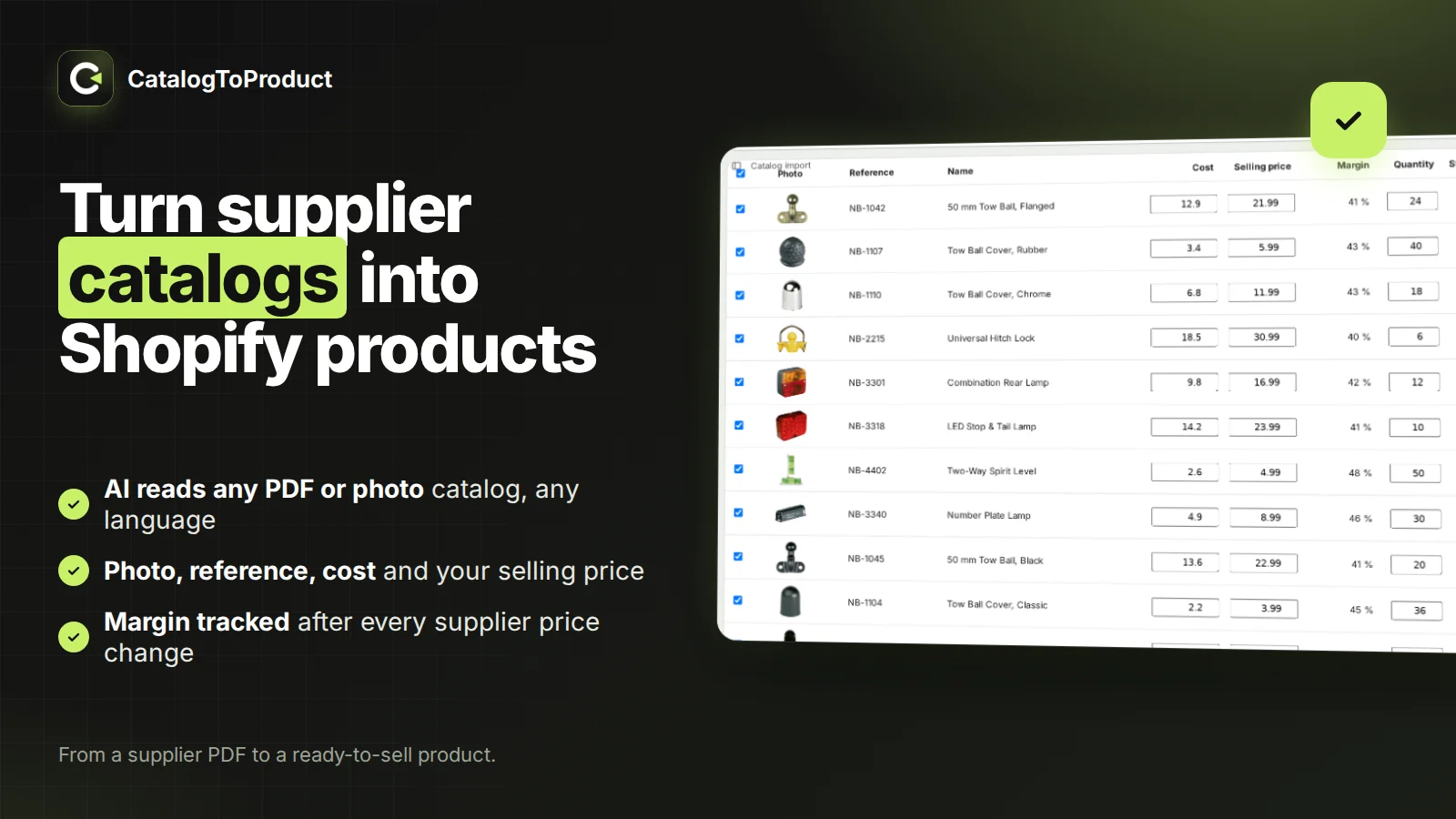
A 40-page catalog should not take a week of typing
A supplier sends a PDF catalog. Someone copies every code, name and price into Shopify, crops every photo, and guesses the selling price. Days later half the catalog is online, with typos. MarginSentry turns that week into a review screen.
How it works
- 1
Upload the catalog
PDF or photo up to 200 MB, sent in small pieces so a weak connection never starts over.
- 2
Check a sample
One page of each type, with photos, codes and prices found. Guide the AI once if needed.
- 3
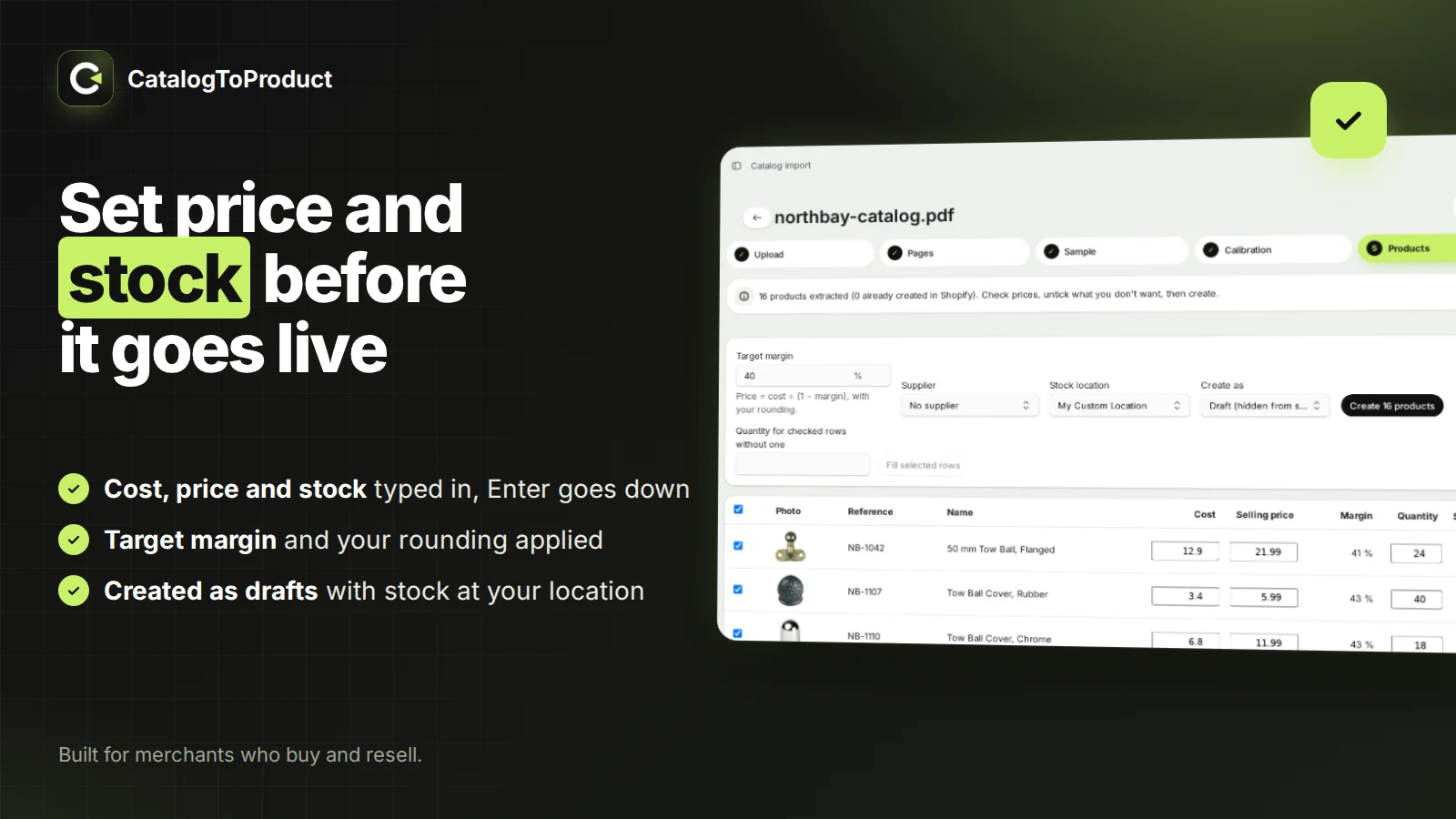
Set price and stock, create
Target margin and your rounding give the selling price; type quantities, press Enter to go down. Products are created as drafts.
From a supplier PDF to ready-to-sell products
Drop the catalog as you received it: PDF or photo, any language, any layout. The AI finds every product on every page and reads its photo, supplier code, name and cost. Photos are cut out on a clean white background.
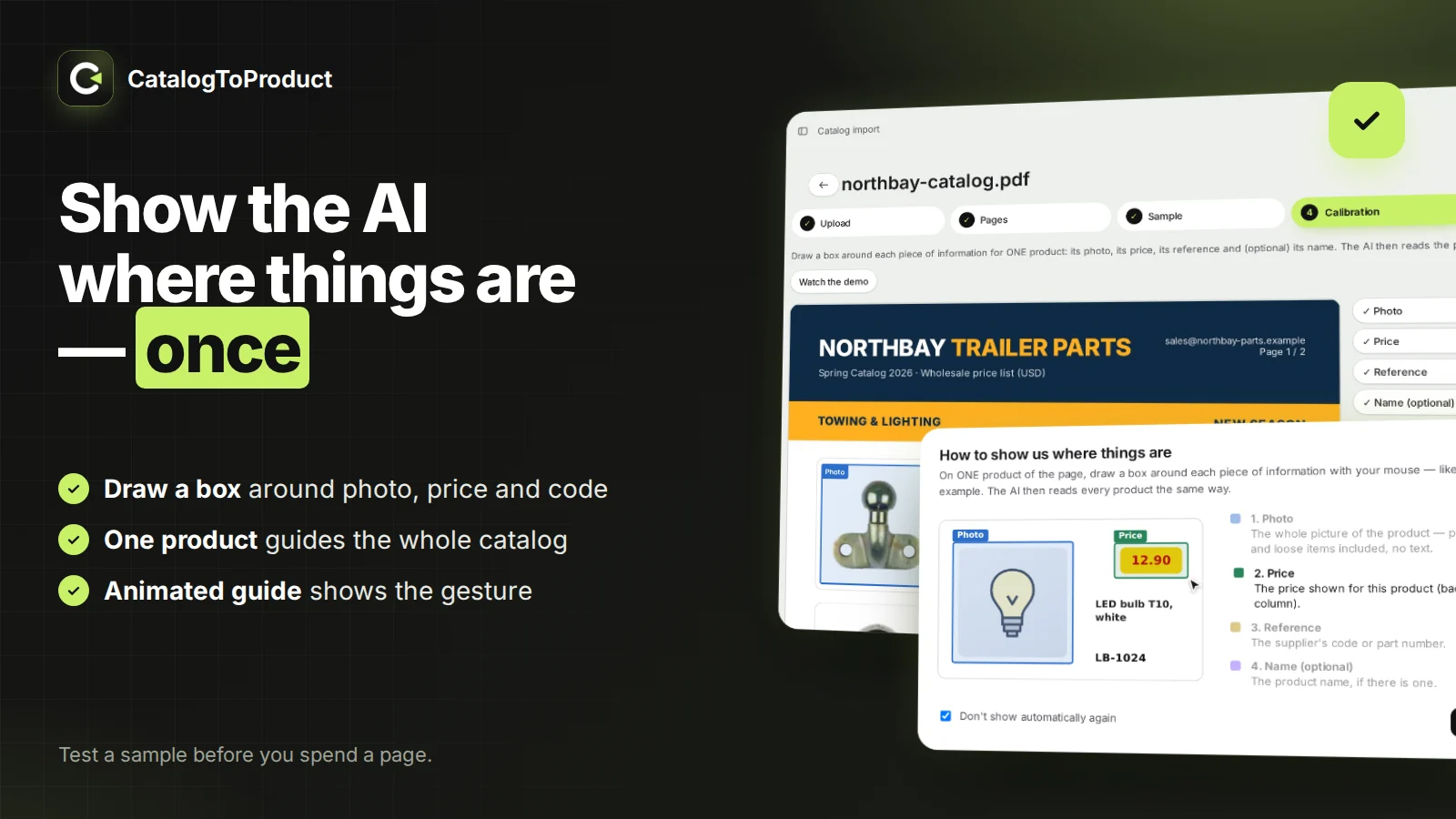
Test a sample before you spend a page
Pages are sorted by layout for free. Run one sample page of each type and check the result. Not right? Draw a box around the photo, price and code of one product: the AI reads the whole catalog that way.
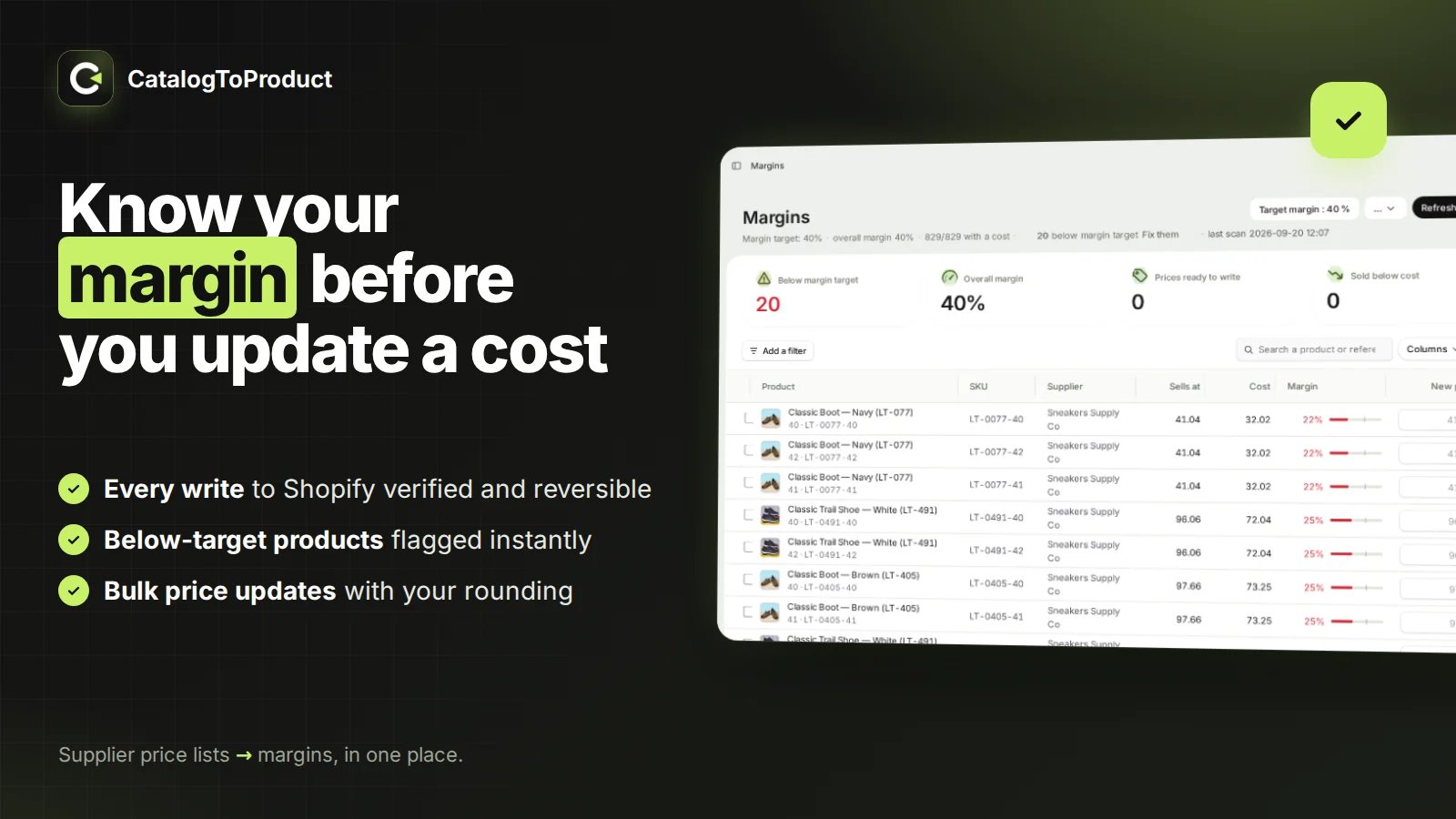
Then keep every margin
When the supplier sends a new price list (CSV or Excel), each line is matched to your variants and you see the margin before and after. Costs are written to Shopify only when you confirm, verified and reversible.
Purchase orders, receiving and stock
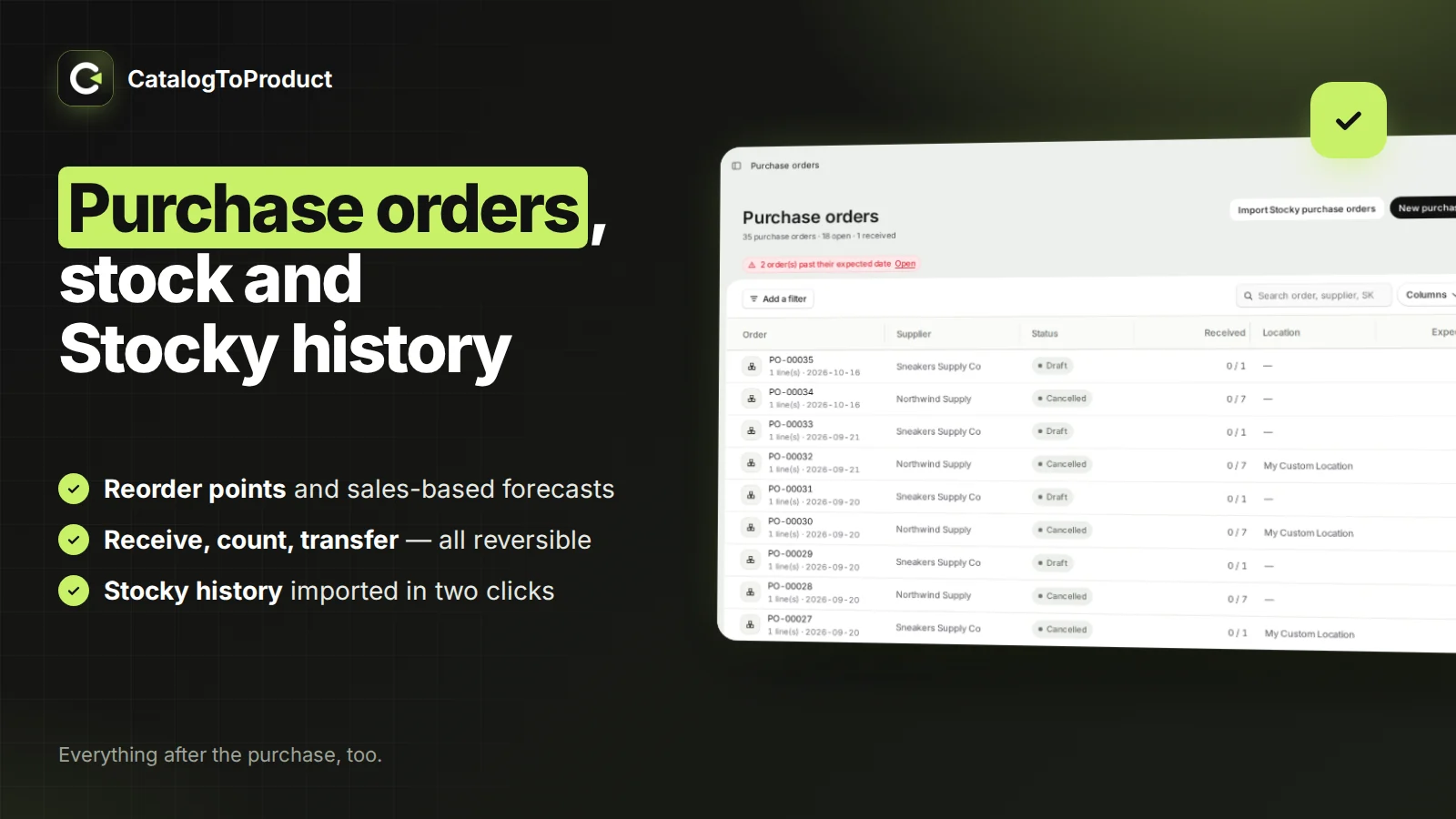
Create purchase orders, email them as PDF, receive with a scanner straight into Shopify inventory with landed cost, set reorder points, count and transfer stock.
Coming from Stocky
Import your Stocky suppliers and purchase-order history from the CSV exports. Nothing is written to Shopify, and re-running the import creates no duplicates.
Moving off Stocky →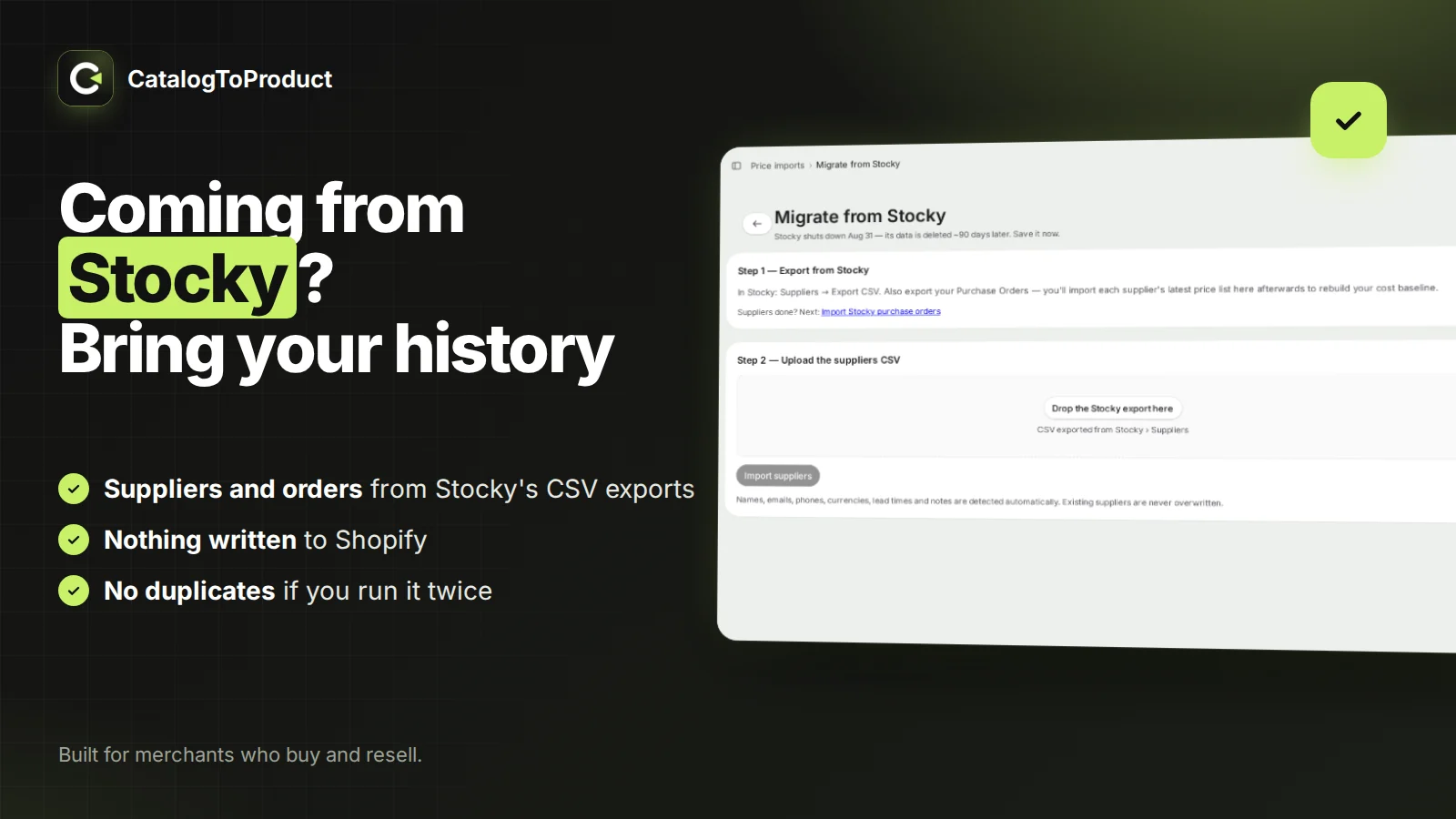
Pricing
Billed through Shopify. Monthly plans are 50% off for the first 3 months. Yearly billing saves about 17%.
Free
- One-time trial: 5 catalog pages analyzed
- 1 supplier, 100 rows per price list
- 30 days of cost history
- Purchase orders, receiving, stocktakes
Starter
- 25 catalog pages per month
- 3 suppliers, 1,000 rows per import
- 90 days of cost history
- Bulk selling-price updates
Standard
- 60 catalog pages per month
- 15 suppliers, 5,000 rows per import
- Unlimited cost history
- Everything in Starter
Max
- 300 catalog pages per month
- Unlimited suppliers and rows
- Compare the same SKU across suppliers
- Everything in Standard
Guides
How to update Cost per item in Shopify from a supplier price list
Your supplier sent a new price list. Here is how to get those costs into Shopify's Cost per item field without editing products one by one, and the traps of each method.
Supplier price increase: how to check which Shopify products lose margin
A price increase rarely hits every product the same way. This is the workflow to find the products that fall below your target margin before the increase reaches your invoices.
How to import your Stocky purchase orders and suppliers into a new app
Stocky is shut down, but its data stays exportable in read-only mode for a limited time. Here is how to export it and bring your suppliers and purchase-order history into MarginSentry.
Landed cost in Shopify: include freight and duties in Cost per item
If Cost per item only holds the supplier's unit price, every margin in Shopify is overstated by your freight and duties. Here is how to calculate landed cost and record it at receiving.
Questions
What does MarginSentry do?
MarginSentry is a Shopify app that turns a supplier's catalog (PDF or photo, any language) into Shopify products. AI reads each product's photo, supplier code, name and cost; you set the selling price (from your target margin and rounding) and the stock quantity, then the products are created as drafts. It also tracks margins on supplier price lists and handles purchase orders and stock.
What catalogs does it read?
PDF, JPG, PNG and WEBP files up to 200 MB: product grids, single-product pages, variant tables and price lists, in any language and currency. Pages without products (cover, contents, ads) are skipped and not counted.
What if the AI gets a page wrong?
You always test a sample page of each layout first. If a result is wrong, you draw a box around the photo, price and code of one product and the AI reads the catalog again following that example.
What does MarginSentry do?
MarginSentry is a Shopify app for merchants who buy from suppliers and resell. It reads supplier price lists (CSV or Excel, any column layout), matches each line to your variants, shows the margin before and after for every product, and writes new costs or prices to Shopify only when you confirm. It also handles purchase orders, scan-to-receive with landed cost, reorder points, stocktakes and transfers.
Is MarginSentry a Stocky replacement?
Yes for purchasing and stock: it imports your Stocky supplier list and your Stocky purchase-order history from the CSV exports, then lets you create purchase orders, email them as PDF, receive with a scanner into Shopify inventory, set reorder points and run stocktakes and transfers.
How does it match a supplier file to my products?
By SKU, barcode or the supplier's own reference, using the columns you pick once per supplier. Lines that don't match are listed separately so you can see what is missing instead of guessing.
Can I undo a cost or price update?
Yes. Each write records the value read just before it, every write is read back from Shopify to confirm it landed, and the whole batch can be rolled back in one click.
How much does it cost?
There is a free plan (1 supplier, 100 rows per import). Paid plans are $4.99, $9.99 and $39.99 per month, billed through Shopify, with 50% off the first 3 months on monthly billing.
Which languages are supported?
The app interface is available in 12 languages, including English, French, German, Spanish, Italian and Dutch.
Something else? Write to gafari.fodim@gmail.com.